Each organisation that uses Ciphr has its own login page. Your HR or people team can send you the link.
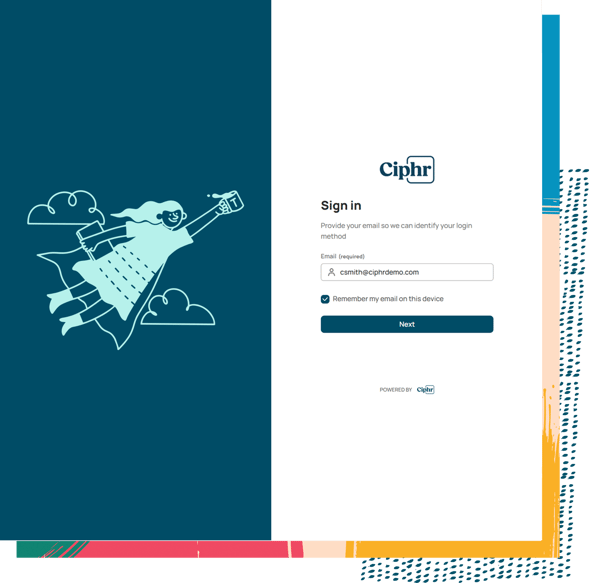
Ciphr customer login
Ciphr login: get to the right place, first time
Your Ciphr system is set up for your organisation: your people, your permissions, your security settings. That's why there's no single login page for everyone. Ask your HR or people team for your link, bookmark it, and you'll go straight to the right place every time.

HR or payroll admin? Go to Ciphr customer care
How to get into Ciphr in three steps
1. Ask for your link. Your HR or people team will send it, and you will be able to access your Ciphr system via single sign-on
2. Save it. Bookmark it on your laptop and add it to your phone's home screen, so you never need to search for it again
3. Sign in your organisation's way. That's either your work email and a password, or single sign-on with your work account. If your organisation uses two-factor authentication, you'll confirm with a code too

What do you need to do?
Ciphr is one connected suite with a single login, so your payslips, leave, training and benefits all sit in the same place: find your task below to see who can set up your access.
| I want to | Part of Ciphr | Ask for the link from |
| See my payslip, P60 or P45 | Ciphr payroll self-service | Your payroll or HR team |
| Book leave or update my personal details |
Ciphr HR |
Your HR or people team |
| Approve a request as a manager | Ciphr HR | Your HR or people team |
| Complete training or eLearning | Ciphr learning | Your HR or L&D team |
| Choose or check my benefits | Ciphr benefits | Your HR or reward team |
| Manage Ciphr as a system administrator | Your organisation's Ciphr system, plus the customer care portal | Your organisation's primary Ciphr contact |
Can't sign in?
Most sign-in problems have a quick fix.
"We couldn't find an account with that email"
Check for typos and stray spaces. Use the email address your organisation holds for you. Still stuck? Ask your HR team to check your account is active
Wrong password
Use the eye icon to check what you typed, then choose the reset password option. If the reset email doesn't arrive, check your junk folder
Your organisation uses single sign-on
Choose the option to sign in with your work account rather than typing a password. If that fails, contact your IT team
New phone and your two-factor code won't work
Your HR system administrator can reset your two-factor authentication, so you can set it up again next time you sign in
Ciphr login info for HR and payroll admins
When people can't find their login, they come to you. A few small moves stop the questions before they start.
- Put the link where people look. Add it to welcome emails, your intranet and your onboarding checklist
- Make it look like yours. Add your logo and colours to your login page in Sign-in admin, so people know they're in the right place
- Fix access yourself. In Sign-in admin you can check a user's account status, reset two-factor authentication and set up single sign-on without waiting on a ticket.
- Raise a ticket that gets answered first time. Include the person's name, email address, whether they're a new starter or re-joiner, their login account status, a screenshot of the error and whether anyone else is affected.

Stuck on a sign-in problem? Search the knowledge base in the customer care portal first. It has step-by-step guides for HR, payroll, learning and recruitment, including what to check when someone can’t sign in. If the guide doesn’t solve it, raise a ticket from the same place.
Your Ciphr, looked after
The login is the front door. Here's what sits behind it.
- Your data stays protected. Ciphr holds ISO/IEC 27001 at an organisational level, along with Cyber Essentials Plus. It runs on UK data centres and supports MFA and SSO. When IT asks how payslips and personal records are kept safe, the evidence is at trust.ciphr.com
- A team that knows your organisation. Customers work with a sector-specific pod across customer care, technical support and account management, so the people who help you know how your sector runs
- Customers stay. Nearly 10 years: the average time customers stay with us. Rolling 12-month customer satisfaction sits at 90.8%
- Help when you need it. In-app guidance, the knowledge base and Ciphr Academy eLearning are there any time, not only when the phones are open.
Stay safe when you sign in
Only sign in through the link your organisation gave you. Ciphr will never ask for your password by email or phone.
If something looks wrong, tell your IT team before you type anything.
Not a Ciphr customer yet?
Looking for HR software rather than a login? Ciphr connects HR, payroll, recruitment, learning, benefits and AI in one integrated suite for UK mid-sized organisations, so your team spends less time stuck between systems.
See how Ciphr works.
FAQs: Ciphr login
Your organisation controls who can access its Ciphr system, so the link comes from them. That keeps your records in the hands of people your employer has approved.
Ask your payroll or HR team for your organisation's payroll self-service link. You can see payslips, P60s and P45s there.
Use the reset password option on your organisation's login page. If your organisation uses single sign-on, sign in with your work account, and contact your IT team if that fails.
Ask your HR system administrator to reset your two-factor authentication. You'll set it up again the next time you sign in.
Use Sign-in admin to check accounts and reset two-factor authentication. For anything else, search the knowledge base in the customer care portal at customercare.ciphr.com, then raise a ticket if you still need help.
Request your demo
Not a Ciphr customer yet? Request your demo
Speak with one of our advisers today to find out how Ciphr can help you do more, better.